
[No. 054]
Design

How I Built a House on the Internet
It’s such a relief to be back home.
I mean like home home.
I’ve been on the move for the last 6 months, bouncing between unfamiliar settings, and truthfully? It’s been a drag.
As I unboxed my old clothes and rearranged my furniture, I was swept by a similar feeling – one I hadn’t noticed in a while. It was more than comfort, but a sense of ownership. See, I had felt this before when I started sharing online. The thing is, social media has always felt like a massive public apartment to me.
On there, we’re a hive mind.
The rules wear suits and the structure is rigid.
Nudity of thought and feeling is generally frowned upon.
And when words are stripped bare, they’re used against us.
The floor plans are standard. Identical hallways, familiar windows and similar doors.
The neighbours? Everywhere. All the time.
Some wave. Some watch. Some knock just to pitch.
And how does management know about the shoes I just bought?
So, I decided to build my own sanctuary.
The neighbourhoods I’ve lived in
This isn’t new, I started ~5 years ago in a neighbourhood called Wix.
I was trying to build an online shop selling self-designed clothes.
I failed. Learned a lot. Got back up.
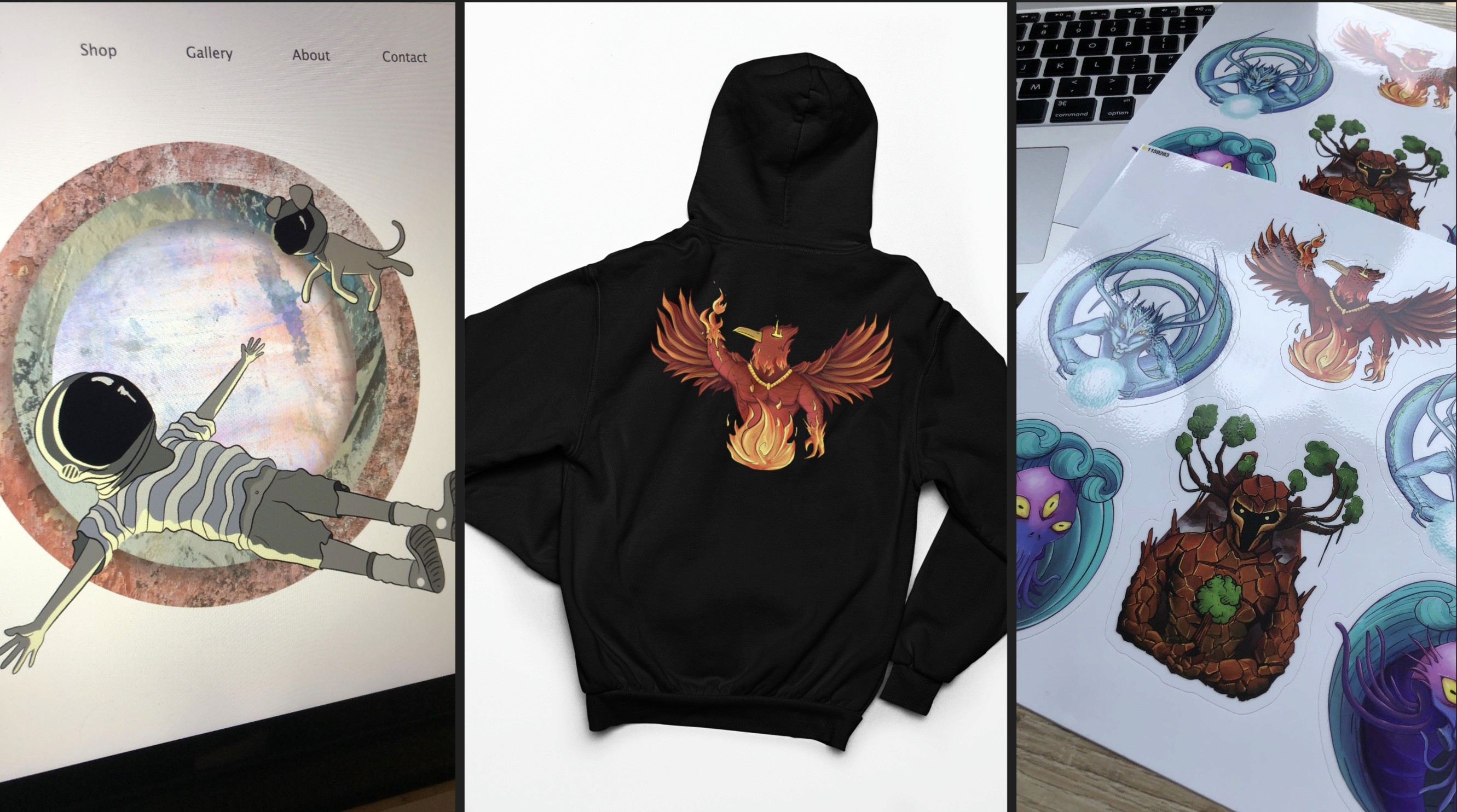
From left to right: my first homepage on Wix, my hoodie mockup, stickers I had ordered for product testing
Since then, I’ve built in four different neighbourhoods: Wix, Webflow, Squarespace and Framer – in that order.
Right now, my current home is built on Squarespace. Through the constant building, I’ve picked up quite a bit over the years – responsive layouts, CSS, and what makes a webpage feel intentional.
So if you've been searching for a place to call your own — quiet, custom, and within your control, it’s my pleasure to introduce you to no-code website builders.
1. Choosing your neighbourhood
“Soooo, where should I build?”
The honest answer? It depends.
Because each comes with their own pros and cons.
The good news is that whichever platform you start with, you’ll learn about layouts, CSS, branding, basic UI/UX and most of that knowledge is transferrable to other platforms. The bad news is that every builder has its own ecosystem and some things won’t carry over as smoothly. There is no unicorn website builder (yet), so adapting to it is part of the journey.
Once you’ve found a neighbourhood that suits your needs and fits your style, you can get to work.
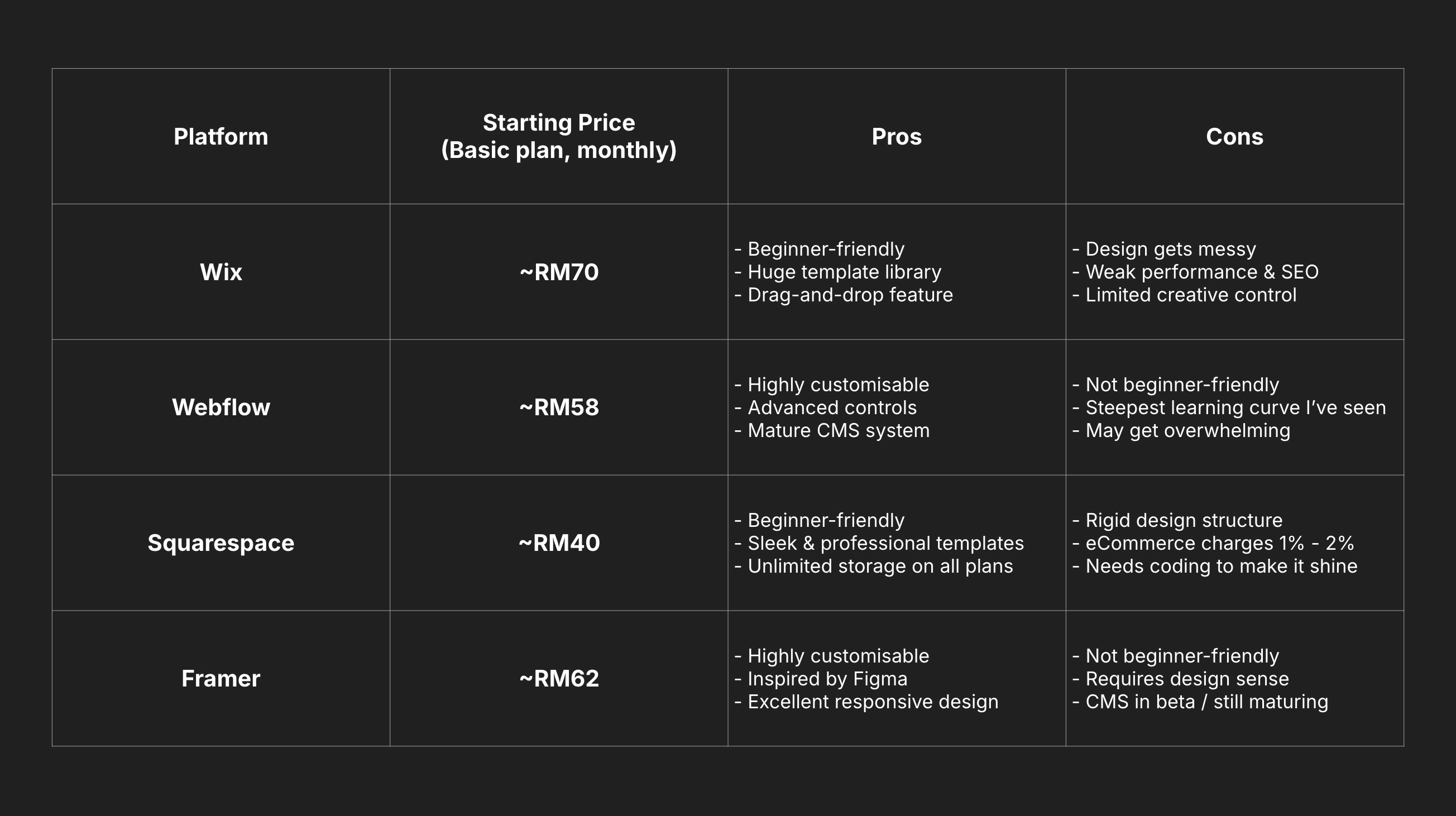
4 of the website builders I’ve used in the last ~5 years and their price plans (as of 2025)
2. Minimum requirements
A misconception about websites is that you need everything figured out before you begin.
You know, a brand, a logo, a product. It helps, sure. But the truth is you don’t.
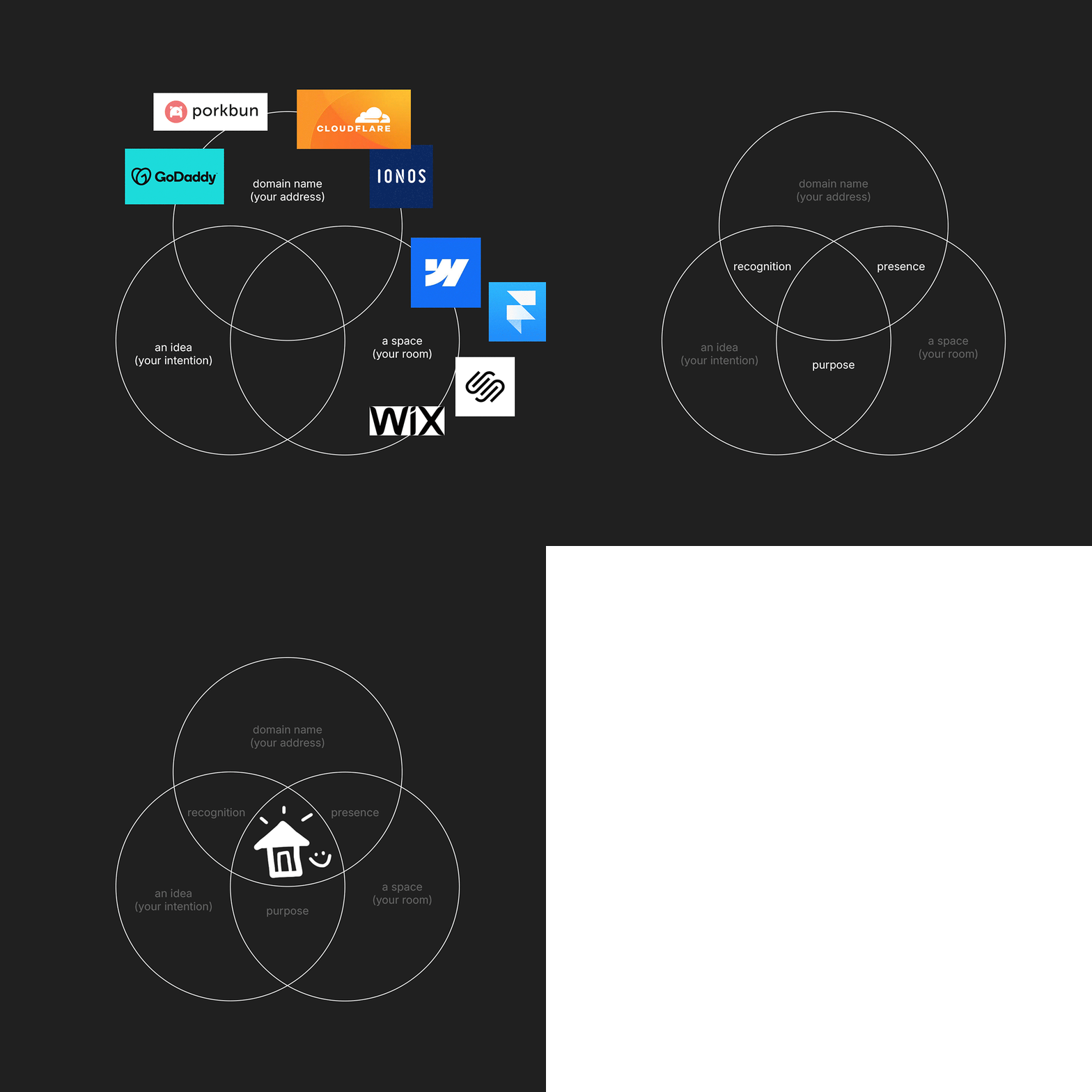
This is the bare minimum:
A domain name — This is your house address. How will your friends know where to find you if you don’t have one?
An idea — What’s the website’s objective? Are you planning to blog? Do you sell art? Are you creating a portfolio to showcase your work?
A space — Just pick a template and commit to one page only. The multi-floor mansion will happen in time.
Start with something small that feels authentic, then build around it.
Now that you have the ‘what’, here’s the ‘how’:
3. The 4Bs
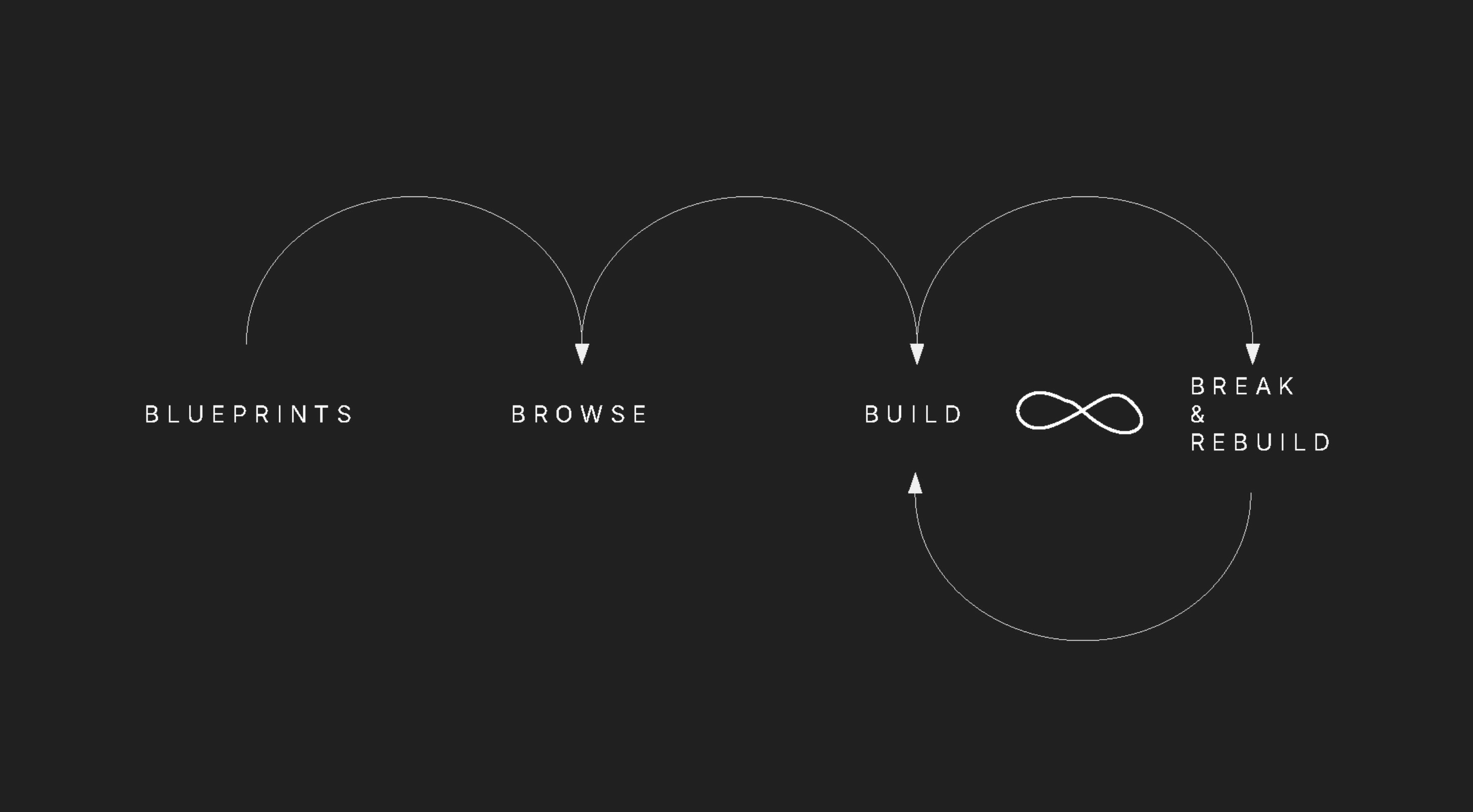
This is my super simplified step-by-step of how you can start build your homepage.
Blueprints, Browse, Build, Break (& Rebuild). Let me expand.
Blueprints
Knowing what you’re building saves a lot of time because every builder needs a blueprint. If you don’t know what the blueprints should look like, look around relevant websites references. Once you have a guideline, you know you’re ready to…
Browse
This is the fun part! It’s where you get inspired, look up different floor plans from other builders. Sources like Relume.io have a variety of reusable templates and it’s very common for website builders to showcase their best designs, eg: Framer. This part is also where you can test different colour palettes, find relevant images and favourite type faces. I typically keep a folder of such assets. That way, the process will be a lot smoother when you…
Build
This is arguably the most time-consuming part because it can go on forever and you’ll never know when to stop. The truth is that all you really need is one page: your homepage. To do so, all you need to do is just focus on 3 sections:
Hero (who are you?)
About (what do you do?)
Contact (how will others reach out?)
You can’t go wrong by building these, and keep it simple when you start.
You’re going to want to stay consistent because eventually, you’ll need to…
Break (& Rebuild)
Hack the walls. Break the table. Tear down your favourite paintings. That’s what this is all about. Don’t limit yourself to the prototype. A website isn’t a ‘once and done’ type of thing, it’s a reflection of who you are – a constant work in progress. This is why it should grow and adapt to the changing environments with you.
If you’ve made it this far into the blog, do yourself a favour – make it happen.
I used to feel disheartened, thinking this wasn’t really “my thing”.
Turns out the only thing that was getting in my way was me.
I made more progress after I stopped judging myself.
You don’t need anyone’s permission to start building your own space.
Or anything, really. Just the courage to try will do wonders.
You’ll be surprised by how far self-belief and action can take you.
Let me know when it’s built, I’d love to visit your digital home.
Until then, I’ve got some cleaning to do. Good luck!
