
[No. 091]
Design
It shouldn’t be a secret anymore that I’ve been vlogging and filming my process for the last few years. It made sense when I started, because I wanted to build an internal sense of confidence and a reminder that I am doing it more for myself than those around me. This marks the third month of me posting consistently and it’s a good feeling to finally share what I’ve been up to over the last few years.
Initially, I had the idea to go on an endless spiel about the surface things I’ve learned on this journey. Y’know, ‘TOP 5 TIPS FOR MAKING AUTHENTIC CONTENT’ type vibe but I think we’ve seen enough of those to know that information is easily-accessible to most. Instead, I’m going to talk about something in content creation most people don’t plan for or consider until it happens.
Storage Overload
Very sexy topic, I know. And because it’s so sexy, I feel the need to share my thoughts on it because most people overestimate the capabilities of their technology, and underestimate the convenience of a well-organised storage system.
Why? Because the reality is that the problem often starts small: the inability to download a file, your iCloud’s 99th notification or slower performance of your device. Naturally, you delete an app here, remove some memes there and voila, fixed. For a month, maybe two.
Eventually, you’re going to hit a brick wall that says “yo, it’s time to organise your files fr” and if your reply is “nah no thanks, I want it to keep everything”, that’s where things get interesting. It’s at this point where corporations step in to sell you two commonly paid solutions:
Subscribing to cloud storage (or buying more) – Google Drive, iCloud, Dropbox, etc
Investing in external hard drives (HDDs or SDDs) – SanDisk, Sea Gate, Western Digital, etc
Now if you’re like me, you’ll realise pretty quickly that storing several years worth of content is tricky. You’ve got important documents, nostalgic progress pics, hours of work footage and your favourite folder of memes. Of course, the no-brainer solution is to buy 100GBs of storage on Google Drive. Or at least, until you realise that Google is training their AI models, based on every bit of information they can extract from you. Meanwhile, Dropbox is selling their Standard plan for ~RM660/year (or $180/year) which is only going to get pricier as your work grows.
Once you do the math, you’ll start to see that external hard drives are the way to go. Or at least, that’s the conclusion I came to for the last 2 years. Since then, I’ve invested in three. It’s been fast and effective, especially if you work in a designated space. However, travelling makes it a challenge and a constant worry in the back of my mind. I’d either get anxious that I never brought my hard drive, or that I may have misplaced it somewhere.
And so, I’ve found myself in a situation where I wanted the accessibility of cloud storage without the breach of privacy and reliability of a hard drive that could organise my files neatly.
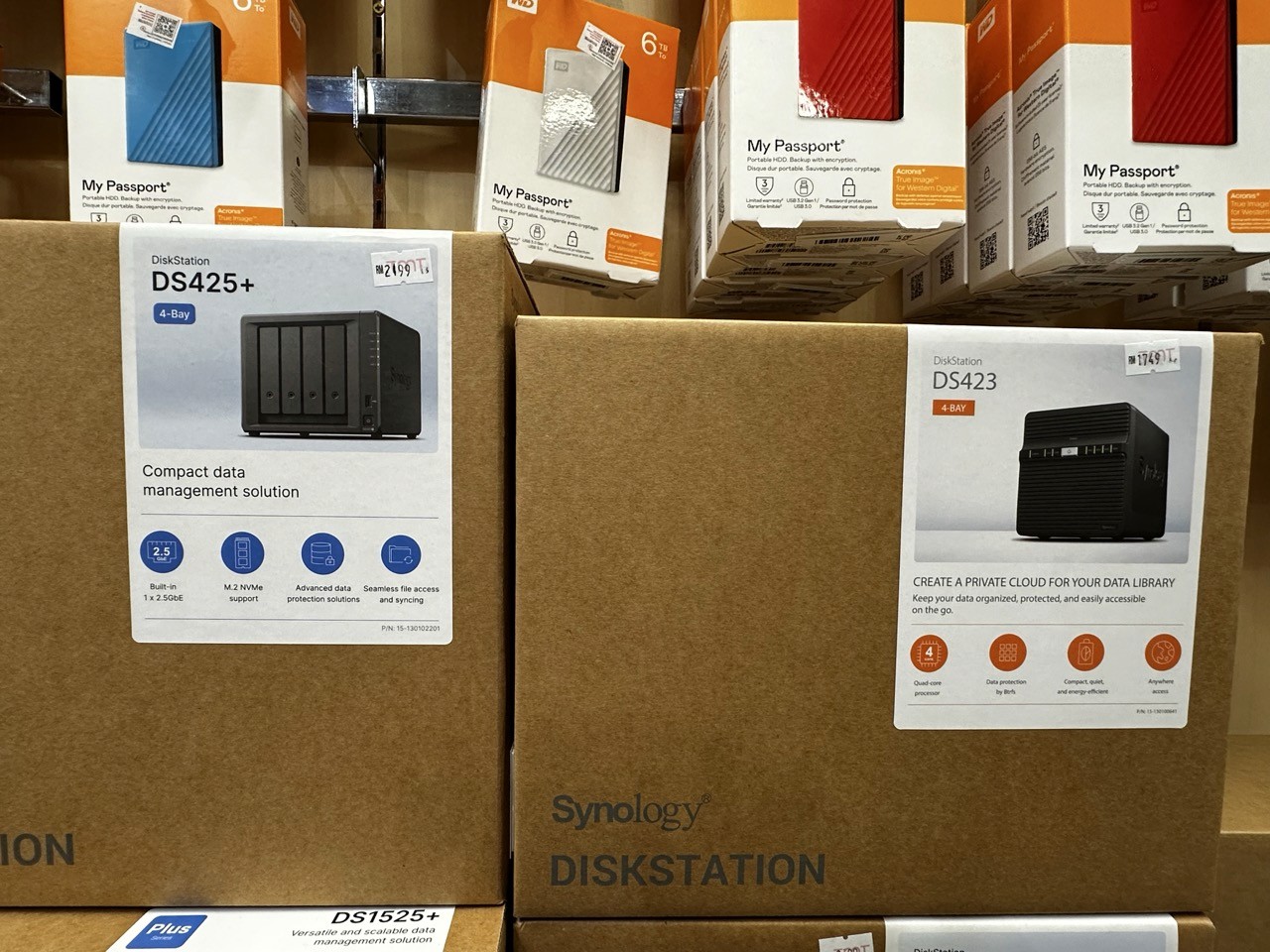
Enter the NAS (Network Attached Storage)
This is what I’ve been researching on. It’s basically a piece of hardware that sits in the corner of your room that has mounted disks of data you’re able to store storage with. What I like about it is that it’s scalable, private and cloud-accessible. However, with the pros always comes the cons.
In this case, it’s a costlier upfront fee. It can get pretty costly depending on the brand, model and storage size. On brands, the most reputable one across most reviewers is undoubtedly Synology. They’ve been in the NAS business for the last 25 years and have gained a large percentage of the market’s confidence due to their product quality and reliability.
Second on my list is UGREEN. I’m a little biased towards them because I’ve used their products before and have been pretty satisfied overall. Their sleek designs and clean UIs are definitely something I’ll look forward to if I do make my purchase from them. That aside, their NAS seems to have a more room and better airflow in comparison to other models which is something I’m more mindful about nowadays because it contributes to the degradation of hardware.
Lastly, Ubiquiti. This one’s a bit of a wild card because I only learned about this brand recently. Apparently, they’re new to the NAS game but they’ve had a successful line of networking products such as UniFi. That aside, their NAS are focused more than storage capability as opposed to utility. It’s a great starting point, and easy to use.
Another option worth researching is QNAP. They’ve been around for awhile but based on what I’ve read, they’ve also received the most amount of mixed reviews (mostly for being slow). So, I’m crossing that off my list until proven otherwise.
Conclusion
Synology is the fan favourite, it’s as good as it gets for NAS.
UGREEN is utility + function. More than storage, but it comes with a learning curve.
Ubiquiti is storage simplified. No need to overthink if all you need is storage space.
QNAP is an underrated veteran, with mixed reviews regarding its performance.
I hope this helps you as much as it helped me.